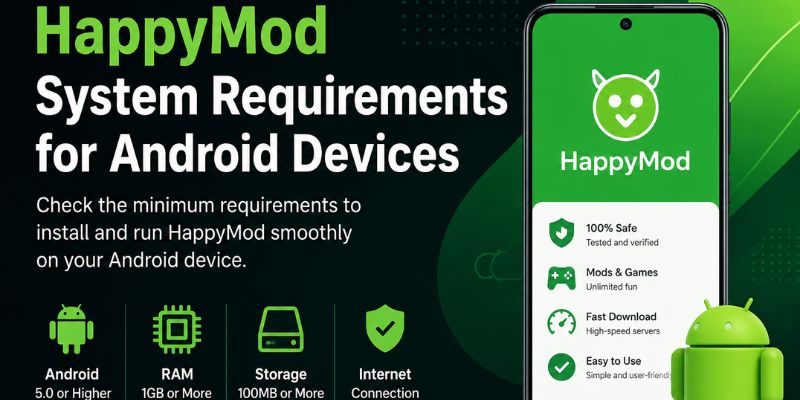
HappyMod System Requirements for Android Devices
HappyMod is a third-party Android platform that allows users to download modified versions of apps and games. Before installing or using the application, it is important to understand the system requirements. Meeting these requirements ensures smoother performance, fewer errors, and better compatibility with downloaded mod files.
If your device does not meet the minimum requirements, you may experience issues such as installation failure, app crashes, or slow loading. This guide explains all the essential system requirements for running HappyMod on Android devices.
Minimum Android Version Requirement
The most important requirement for HappyMod is the Android operating system version.
HappyMod generally requires:
- Android 5.0 (Lollipop) or higher (minimum)
- Android 8.0 to Android 14 (recommended for best performance)
Older Android versions may still install the app; however, they can face compatibility issues such as:
In some cases, features may not work properly. As a result, users may experience crashes or limited functionality. Additionally, performance can be reduced on outdated devices.
- App not opening properly
- Slow loading of mod lists
- Download errors or incomplete installations
For a stable experience, a newer Android version is strongly recommended.
RAM (Memory) Requirements
RAM plays a major role in how smoothly HappyMod runs on your device.
Recommended requirements include:
- Minimum: 1 GB RAM
- Recommended: 2 GB RAM or more
Devices with low RAM may still run the app, but users may notice:
- Lag while browsing mods
- Slow app response time
- Occasional freezing during downloads
Higher RAM ensures smoother navigation and better performance, especially when downloading large mod files. In addition, it helps the app run more efficiently under heavy usage. As a result, users experience fewer lags during installation and browsing.
Storage Space Requirements
Storage is another essential factor for HappyMod to function properly.
You need:
- Minimum: 50 MB free space (for app installation)
- Recommended: 100–200 MB free space (for smooth usage and downloads)
Additional storage is also required for downloaded APK files and game data.
If your storage is low, you may face:
- Download failed errors
- Installation interruptions
- App crashing during file extraction
Keeping extra free space helps avoid these issues.
Processor Requirements
Although HappyMod is not a heavy application, your device processor still affects performance.
Recommended specifications:
- Dual-core processor (minimum)
- Quad-core processor or higher (recommended)
A stronger processor improves:
- App loading speed
- Smooth scrolling through mod lists
- Faster download processing
Older or low-end processors may struggle when handling large APK files.
Internet Connection Requirements
A stable internet connection is necessary because HappyMod relies heavily on online downloads. Moreover, it ensures faster and uninterrupted downloads. In addition, it helps avoid file corruption during installation.
Requirements include:
- Stable Wi-Fi or mobile data connection
- High-speed internet recommended for large APK files
Unstable internet may cause:
- Download interruptions
- Failed downloads
- Slow browsing inside the app
For best results, Wi-Fi is preferred over mobile data.
Android Permissions and Settings
To function properly, HappyMod requires certain permissions on your Android device.
These include:
- Storage access (to save APK files)
- Internet access (for browsing and downloads)
- Install unknown apps permission (for APK installation)
You must enable “Install from Unknown Sources” in your settings before installing apps from HappyMod.
If permissions are not enabled, you may face:
- Installation blocked errors
- APK file not opening
- Download completion without installation
Device Compatibility Requirements
HappyMod is designed only for Android devices. It does not officially support other platforms.
Compatibility notes:
- Works on Android smartphones and tablets
- No official iOS support
- No native Windows or macOS version (emulators required for PC use)
Even though some users try alternative methods, the most stable experience is always on Android devices.
Recommended Device Configuration for Best Performance
While minimum requirements allow installation, recommended specifications ensure a better experience.
Best performance setup includes:
- Android 8.0 or higher
- 2 GB RAM or more
- Quad-core processor
- 200 MB+ free storage
- Stable high-speed internet connection
Devices meeting these specifications generally run HappyMod without major issues.
Common Problems When Requirements Are Not Met
If your device does not meet system requirements, you may face several issues, such as:
- App not installing
- Frequent crashes or freezing
- Download failures
- Incomplete APK installations
- Slow or unresponsive interface
Most of these problems are directly related to low storage, outdated Android versions, or insufficient RAM.
How to Check If Your Device Is Compatible
You can check compatibility by reviewing your device settings:
- Open Settings on your Android device
- Go to About Phone
- Check Android version
- Check available storage
- Check RAM in device specifications
If your device meets the recommended requirements, HappyMod should run smoothly.
Final Thoughts
HappyMod does not require high-end hardware, but meeting basic system requirements is important for a stable experience. Android version, RAM, storage space, and internet connection all play a role in how well the app performs.
For the best experience, using a device with Android 8.0 or higher, at least 2 GB RAM, and stable internet is strongly recommended. Moreover, this ensures smoother browsing. Additionally, it results in faster downloads and fewer errors while using the platform.